

 Our Worlds
 Stay at the park
 Animal Encounters
 Activities not to be missed
 Inspirations and discoveries

/--/uploads/2023/12/app-store.png)
/--/uploads/2024/02/google-play.png)
/--/uploads/2026/01/1080x1080_EDENYA-1.jpg)

Procedure for Adding Membership Cards
After updating your application, you will have access to our new mobile app.

If you do not see the same image, it means that your application is not up-to-date.
To update your application and enjoy the new version, click the link that corresponds to your phone:
- Apple : App Store
- Android : Google Play
Once the update is complete, you can add your ticket or membership card via the “Ticket” tab in the menu.
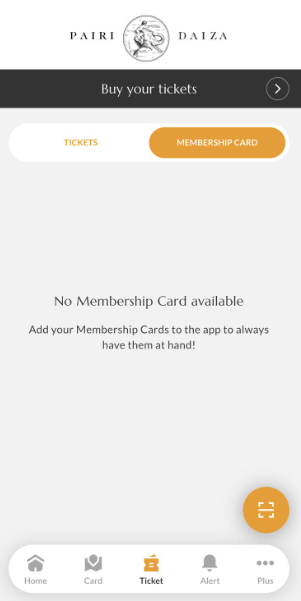
In this tab, you can scan the QR code of your Membership Card by clicking the yellow button at the bottom right of the screen.
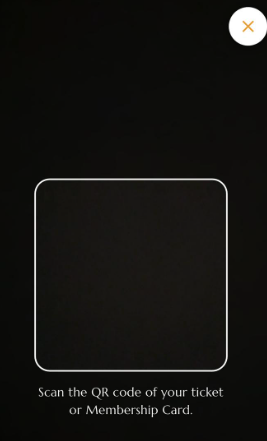
After scanning your Membership Card, the application will ask you to enter your first and last name (as stated on your Membership Card) to confirm your identity.
Once this is done, click “Add a Membership Card.”
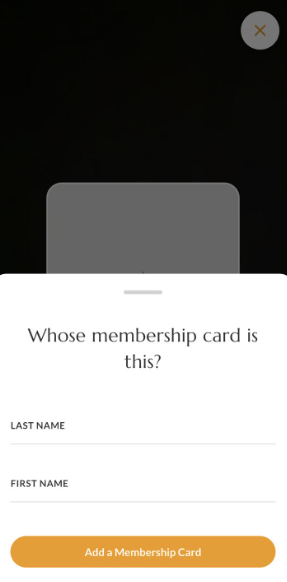
Once your Membership Card is added, it will appear in the list of Membership Cards.
If you also have a parking subscription, it will be automatically added along with your Membership Card.
/--/uploads/2024/02/app-store.png)